
Vértice · The app for your business
Your business and customers,
connected.
Sales, inventory and customers in one app. With orders for restaurants and stores, or appointments for service businesses.
Permanent Free plan · no card. Features depend on your business and plan.
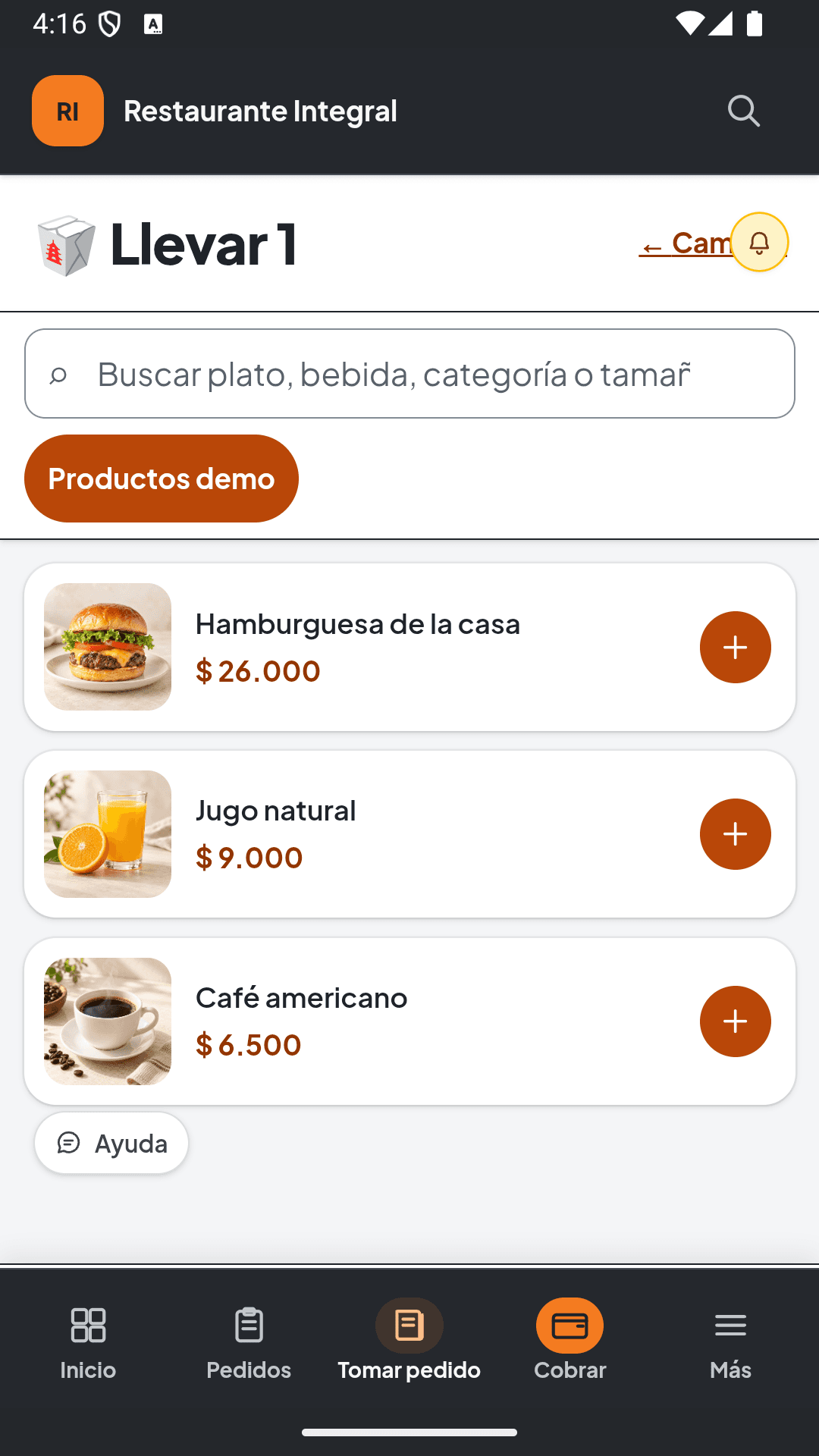
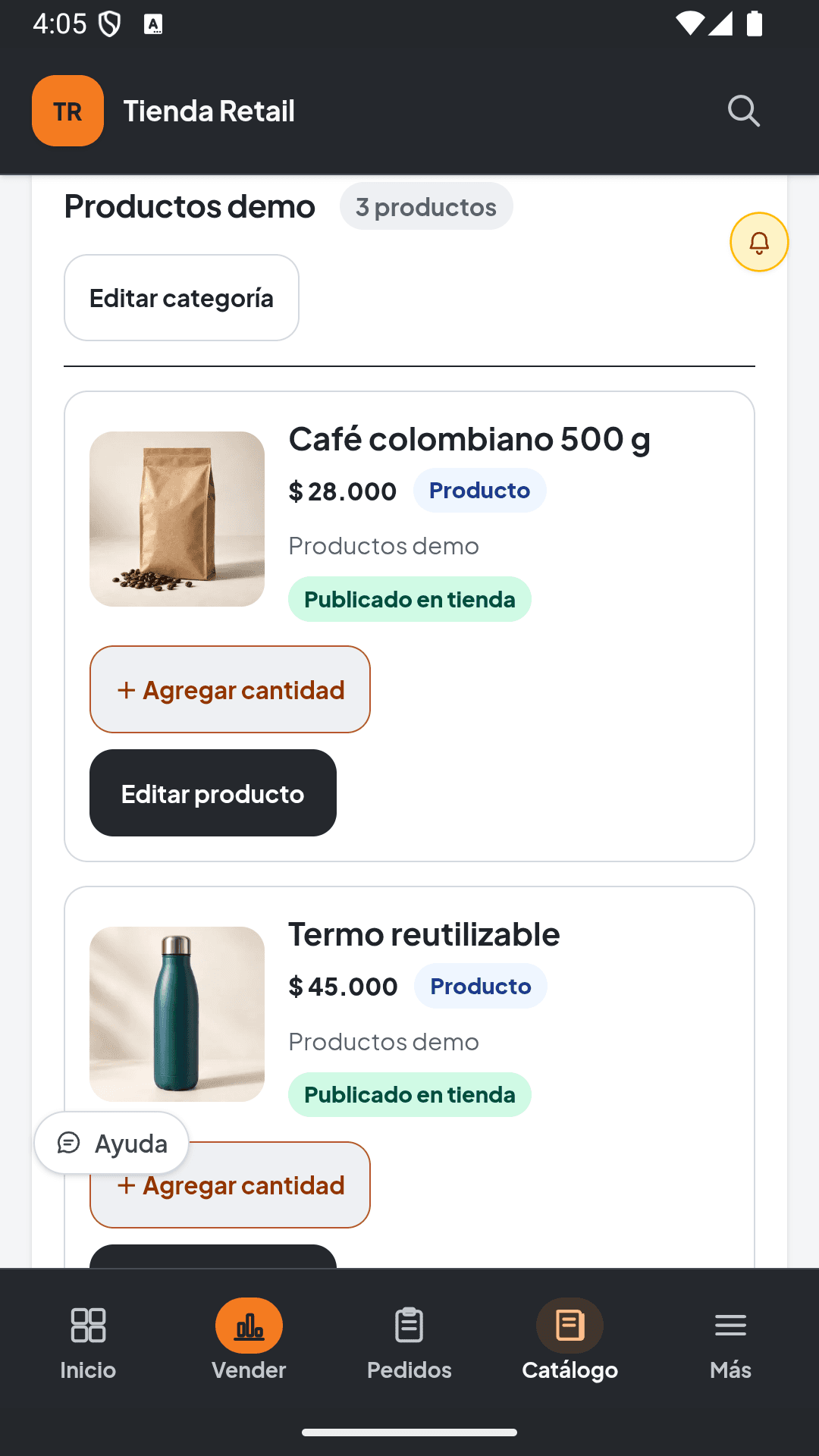
Find your business.
A workflow designed for your day-to-day work.
Restaurants
Restaurants, cafés and bars
From order to checkout, with your team connected.
Stores and retailers
Stores, stationery shops and mini-markets
Sales and stock to see what you have and what sells.
Services and beauty
Barbershops, salons and professionals
Appointments, service and checkout in one workflow.
Businesses already using Vértice


- eBarbers
Start with what you have
Your catalog,
without starting over.
Bring products from Excel, CSV, a text-based PDF or a supported link. Review prices, categories and photos before saving.
Import → Review → Confirm
Read English transcript and visual description
The importer shows a selected CSV followed by a draft with three sample products and photos. Information is reviewed before confirmation; a saved import is not shown.
Bring your catalog from a link, Excel, CSV or PDF. Review names, prices, categories and images before saving. Check each item, make corrections and add photos. You decide what content to confirm and publish for your customers. Vértice Digital. Your business, always with you.
Results depend on the source. You can always review and edit the draft.
How Vértice works
Explore an operation for your business.
Four-step guided examples with sample figures and reference screens for each business.
Restaurants
From order to checkout
Follow an order, its preparation and the bill review.
Explore the exampleStores and retailers
From sale to stock
See how two sold units connect checkout and inventory.
Explore the exampleServices and beauty
From appointment to final balance
Connect service, professional, deposit and payment in an appointment example.
Explore the exampleStart informed
The essentials, before you choose.
Review requirements, scope and plans. Our guides walk you through practical steps and sample files.
- Free, with no expiry
- 1 user · 1 location · up to 100 products or services · 30 online operations per month.
- Try a paid plan for 7 days
- Explore its features and greater capacity. No card or automatic charge; subscribing requires your decision.
Checking pricing for your region…
Paid plans from —/month
Monthly reference for the main location. Download the app from Google Play; the store confirms availability, currency, taxes and the amount before payment.
What do I need to get started?
A compatible device with internet access, your products or services, and their prices. Use a browser or the Android app. Check model compatibility before buying printers or scanners.
View getting started guidesWhat happens after the trial?
Free is a permanent plan with limits. A paid-plan trial lasts 7 days, with no card or automatic charge. Review features, limits and terms before choosing.
Compare plans and limitsCan I bring all my data from another system?
The importer prepares a catalog draft. It does not migrate sales, balances, appointments or your entire accounting history. Direct-sale service imports do not set up appointment duration or professionals.
View formats and examplesAre payment receipts electronic tax invoices?
A payment receipt does not by itself establish a valid electronic tax invoice. Tax features require an integration available for your country and enabled for your business.
Check the service scopeWhere can I get help?
Contact Vértice by WhatsApp or email about usage, setup and subscriptions. If you operate outside Colombia or combine activities, check the scope before purchasing.
Contact VérticeTake the first step with your business.
Download Vértice POS from Google Play or talk with us about your business.